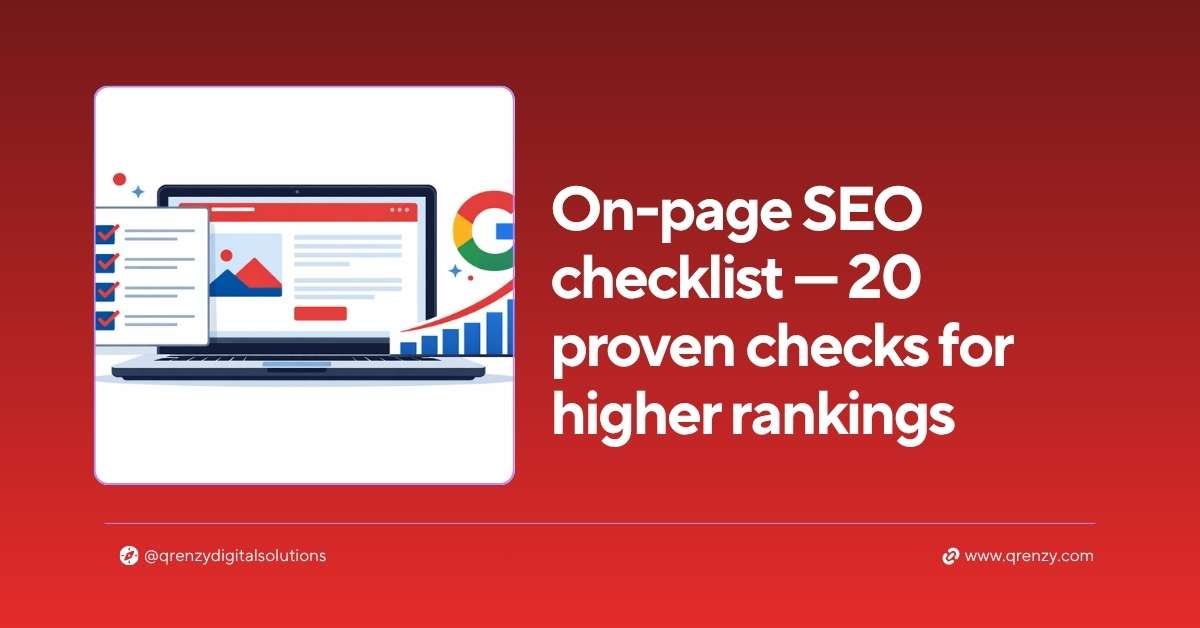
This on page SEO checklist covers every critical optimization you need to make a webpage rank higher on Google — without touching a single line of backend code.
On page SEO is everything you control directly on your website. Your title tags, headings, content, images, internal links and page speed. Get these right and Google understands exactly what your page is about and who it should show it to. Get them wrong — even with great backlinks — and you’ll struggle to rank for anything.
I run through this exact on page SEO check list for every client website we audit. Most websites have at least 8–10 of these issues unfixed. Finding and fixing them consistently moves rankings faster than almost anything else.
Work through all 20 checks. Tick each one off as you complete it.
Section 1 — Keyword and Search Intent (Checks 1–4)
The first section of this on page SEO checklist ensures you’re targeting the right keyword and matching what Google actually wants to show for it.
Check 1 — One clear focus keyword per page Every page on your website should target one primary keyword. Not two. Not five. One. Multiple keywords on a single page confuse Google about what the page is actually about and dilute your ranking potential.
Before doing any other on page SEO checks, confirm each page has a single, clearly defined focus keyword.
Check 2 — Keyword matches search intent Type your target keyword into Google and study the top 10 results. Are they blog posts? Product pages? Comparison guides? Service pages?
Your page format must match what Google is already ranking. If Google shows blog posts for your keyword and you have a sales page — you’re fighting the algorithm. Match the format and you work with it instead.
Check 3 — Focus keyword appears in first 100 words Google gives extra weight to keywords that appear early in a page’s content. Your focus keyword should appear naturally within the first 100 words — ideally in the very first paragraph.
Check 4 — Keyword density around 1% Your focus keyword should appear approximately once every 100 words throughout your content — neither more nor less. Too few mentions and Google doesn’t clearly understand your topic. Too many and it looks like keyword stuffing, which can actually hurt rankings.
For a 1,400-word page, that means roughly 14 natural mentions of your focus keyword.
Section 2 — Title Tag and Meta Description (Checks 5–7)
These two elements are what users see in Google search results before they click — making them critical both for rankings and for click-through rate.
Check 5 — Title tag is optimized correctly According to Google’s title tag guidelines, a well-optimized title tag should:
- Be 50–60 characters long
- Include your focus keyword as early as possible
- Be unique — no two pages should share the same title
- Describe the page content accurately
❌ Bad: Home | Qrenzy ✅ Good: Digital Marketing Agency in Thrissur | Qrenzy Digital Solutions
Check 6 — Meta description contains focus keyword Your meta description doesn’t directly affect rankings but it massively affects click-through rate — how many people click your result versus a competitor’s. It should:
- Be 140–155 characters
- Contain your focus keyword naturally
- Act as a mini-advertisement for your page
- Include a clear benefit or call to action
Check 7 — Title and H1 are different Your page title (in the <title> tag) and your H1 heading should contain the same keyword but use different wording. Google rewards pages where the title and H1 aren’t identical — it signals richer, more comprehensive content.
Section 3 — Heading Structure (Checks 8–10)
Headings are the skeleton of your page. This section of the on page SEO checklist ensures that skeleton is strong.
Check 8 — One H1 per page, containing focus keyword Every page must have exactly one H1 heading — the main title visible on the page itself. It must contain your focus keyword. No H1 means Google has no clear signal about your page’s primary topic.
Check 9 — H2 headings used for main sections H2 headings divide your content into logical sections. At least one H2 should contain your focus keyword or a close variation. Use H2s for every major section of your page — they make content easier to read and help Google understand your page structure.
Check 10 — H3 headings for sub-points only H3s sit under H2s and cover specific sub-points within a section. Never skip heading levels — don’t jump from H1 directly to H3. The hierarchy should always be H1 → H2 → H3, in that order.
This heading hierarchy is one of the most commonly failed on page SEO checks we see on client websites.
Section 4 — Content Quality (Checks 11–13)
Check 11 — Minimum 500 words of original content Google will not rank thin pages. Any page targeting a competitive keyword needs substantial, original content. Blog posts should be 1,200–1,800 words for competitive topics. Service pages minimum 500 words. Location pages minimum 400 words.
Check 12 — Content answers the search query completely Read your page from a customer’s perspective. If someone searched your focus keyword and landed on your page — does it completely answer what they were looking for? Incomplete answers lead to high bounce rates, which signals to Google that your page wasn’t helpful.
Check 13 — No duplicate content Every page on your website must have unique content. Duplicate content — where two or more pages share the same or very similar text — confuses Google and splits ranking signals between pages. Use tools like Copyscape or Siteliner to check for duplicate content issues across your site.
Section 5 — Images (Checks 14–15)
Check 14 — All images have descriptive alt text Alt text is the text alternative for images — used by screen readers and read by Google’s crawler. Every image on your page should have alt text that describes what the image shows, ideally incorporating your focus keyword naturally where relevant.
❌ Bad alt text: image1.jpg ✅ Good alt text: On-page SEO checklist displayed on laptop screen
Check 15 — Images are compressed and fast-loading Large, uncompressed images are one of the most common causes of slow page speed. Every image should be compressed before uploading. Use WebP format where possible — it delivers the same quality at significantly smaller file sizes. Tools like Squoosh or ShortPixel handle this automatically.
Section 6 — Internal and External Links (Checks 16–17)
Check 16 — Minimum 2 internal links per page Internal links connect your pages together and help Google crawl your site efficiently. Every page should link to at least 2 other relevant pages on your website. Use descriptive anchor text — never “click here” — always the topic the linked page covers.
For example, this post links to our local SEO checklist and our guide to the best SEO tools — both relevant to readers of this post.
Check 17 — At least 1 outbound link to a credible source Linking to high-authority external websites signals to Google that your content is connected to a broader, trustworthy information ecosystem. Every page should have at least one outbound link to a relevant, credible source — a research study, government site, or well-known industry resource.
Section 7 — Technical On Page Checks (Checks 18–20)
Check 18 — URL is short and contains focus keyword Your page URL should be clean, short and include your focus keyword. Remove stop words like “and”, “the”, “a” from URLs where possible.
❌ Bad URL: qrenzy.com/blog/2024/march/the-best-on-page-seo-checklist-for-small-businesses-in-india ✅ Good URL: qrenzy.com/on-page-seo-checklist
Check 19 — Page speed passes Core Web Vitals Google uses Core Web Vitals — Largest Contentful Paint, Cumulative Layout Shift and Interaction to Next Paint — as ranking signals. Check your page speed using Google PageSpeed Insights. Aim for 90+ on both mobile and desktop.
Common page speed fixes:
- Compress and convert images to WebP
- Enable browser caching
- Remove unused plugins and scripts
- Use a CDN (Content Delivery Network)
Check 20 — Schema markup is added Schema markup is structured data that helps Google understand your content more precisely. It’s also one of the key signals for appearing in AI search results like Google AI Overviews and ChatGPT.
For most small business pages, add these schema types:
- Article schema — for blog posts
- LocalBusiness schema — for location and service pages
- FAQPage schema — for any page with questions and answers
If you’re using Yoast SEO on WordPress, most schema can be enabled without touching code.
Your Complete On Page SEO Check List at a Glance
Keyword and Intent:
- ✅ One focus keyword per page
- ✅ Keyword matches search intent
- ✅ Keyword in first 100 words
- ✅ ~1% keyword density
Title and Meta:
- ✅ Title tag 50–60 chars with keyword
- ✅ Meta description 140–155 chars with keyword
- ✅ Title and H1 are different
Headings:
- ✅ One H1 with focus keyword
- ✅ H2s for main sections
- ✅ H3s for sub-points only
Content:
- ✅ Minimum word count met
- ✅ Content fully answers search query
- ✅ No duplicate content
Images:
- ✅ All images have alt text
- ✅ Images compressed and fast
Links:
- ✅ Minimum 2 internal links
- ✅ At least 1 outbound link
Technical:
- ✅ Short keyword URL
- ✅ Core Web Vitals passing
- ✅ Schema markup added
FAQs — On Page SEO Checklist
On-page SEO refers to all the optimizations made directly on a webpage to help it rank higher in search results. This includes title tags, headings, content quality, image alt text, internal links and page speed — everything within your control on the page itself.
Run this on page SEO checklist whenever you publish a new page or post, and audit existing key pages at least once every 6 months. Google’s algorithm evolves, and pages that ranked well a year ago may need updating to maintain their position.
More than ever. Google AI Overviews and platforms like ChatGPT and Perplexity pull content from well-structured, clearly optimized pages. Strong on page SEO signals — especially schema markup, FAQ sections and clear headings — directly improve your chances of being cited in AI-generated answers.
Most pages see ranking improvements within 2–8 weeks of completing on page optimizations, depending on competition and domain authority. Low-competition keywords can move within days. Competitive terms may take 2–3 months of consistent optimization.
Matching search intent (Check 2) and optimizing your title tag (Check 5) consistently deliver the highest impact on rankings and click-through rates. If you only have time for two checks — do those first. Then get a free SEO audit to identify everything else that needs attention on your site.
Start Your On Page SEO Checks Today
This on page SEO checklist gives you a complete, repeatable system to optimize every page on your website. Work through the 20 checks systematically — new pages before publishing, existing pages as part of a regular audit.
Leave a Comment