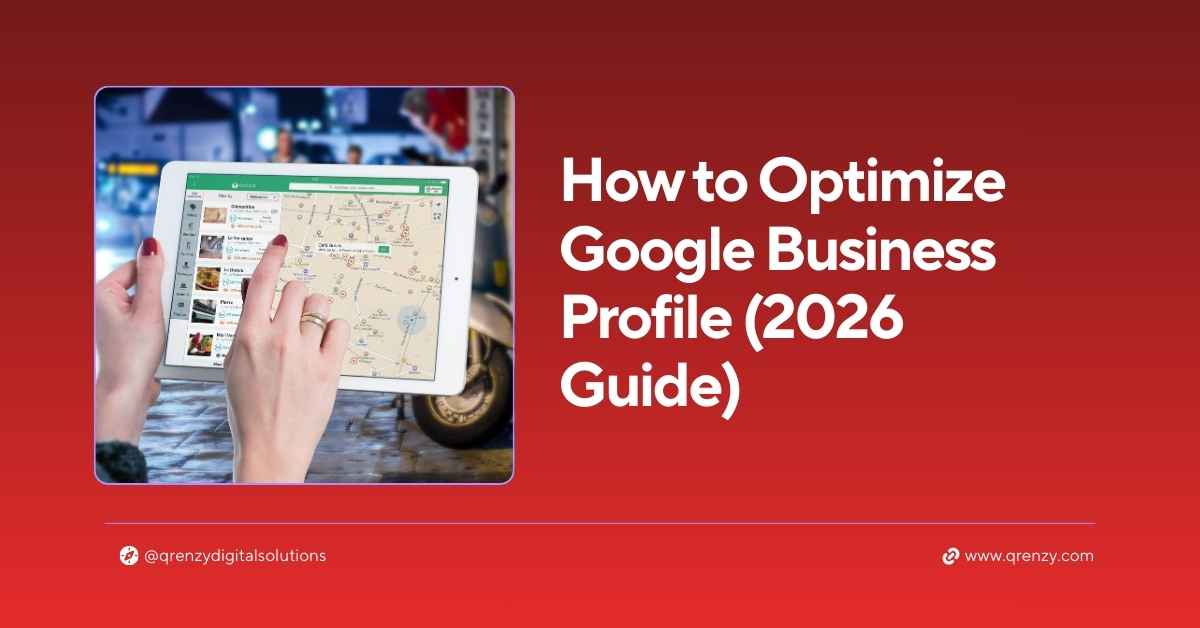
Google Business Profile optimization is the single most powerful free marketing tool available to any local business — and most businesses are doing it wrong.
I’ve set up and optimised Google Business Profiles for businesses across India, Oman and UAE. The pattern is always the same. Businesses that take GBP seriously dominate their local market. Those that don’t, wonder why their competitors keep getting all the calls.
One of our clients — a crane service company — had zero online presence before we started. After full Google Business Profile optimization, they hit the top 3 on Google Maps within 3 months and now have over 200 five-star reviews.
In this guide, I’ll show you exactly how to do it — step by step, no technical knowledge required.
What Is Google Business Profile and Why Does It Matter?
Google Business Profile (GBP) — formerly Google My Business — is your free business listing on Google. It controls what appears when someone searches for your business or your type of service nearby.
When someone searches “interior designer near me” or “best restaurant in my city”, they see a Local Pack — a map with 3 business listings at the very top of results.
Those 3 spots get the majority of clicks, calls and visits. Everything below gets far less attention.
Here’s what the data says:
- 76% of people who search locally on mobile visit that business within 24 hours
- 85% of searchers consider star ratings important when choosing a local business
- 25% of all Google Maps discoveries come directly from GBP listings
For any local business — shop, clinic, restaurant, agency or contractor — Google Business Profile optimization isn’t optional anymore. It’s essential.
Step 1 — Claim and Verify Your Profile
Before any Google Business Profile optimization can begin, you need to claim your listing.
Go to Google Business Profile → Search your business name → Claim or create your listing.
Verification options:
- Postcard by mail — Google sends a code to your address (5–7 days)
- Phone verification — instant for eligible businesses
- Video verification — short walkthrough of your premises
⚠️ Never skip verification. An unverified profile won’t rank in Google Maps — and anyone can claim it before you do.
Step 2 — Choose the Most Specific Category
Your primary category is one of the most impactful decisions in Google Business Profile optimization. It tells Google exactly what type of business you are and which searches to show you for.
❌ Wrong: Service ✅ Right: Architectural Designer or Interior Designer
❌ Wrong: Food ✅ Right: South Indian Restaurant or Seafood Restaurant
You can also add secondary categories to cover every service you offer. An interior design firm might add Home Goods Store, Furniture Store and Renovation Contractor as additional categories.
More relevant categories = more search queries you appear for.
Step 3 — Complete Every Single Field
Most businesses fill in the basics — name, phone, address — and stop there. That’s leaving ranking potential on the table.
Here’s every field you need to complete for effective Google Business Profile optimization:
| Field | Why It Matters |
|---|---|
| Business name | Must match your signboard and website exactly |
| Address | Verified physical location |
| Phone number | Local number preferred over toll-free |
| Website | Links Google to your site for ranking signals |
| Business hours | Including public holidays |
| Business description | 750 chars — use your keywords naturally |
| Services | List every service with individual descriptions |
| Products | Add with photos and prices where applicable |
| Attributes | Parking, payment methods, accessibility etc. |
| Opening date | Shows Google how established you are |
Google gives your profile a completeness score — aim for 100%. The more complete your profile, the more Google trusts it and the higher it ranks.
Step 4 — Add Professional Photos (Minimum 10)
Photos are one of the strongest signals in Google Business Profile optimization — and most businesses completely neglect this.
According to Google’s own data, businesses with photos receive:
- 42% more requests for directions
- 35% more website clicks
than businesses without photos.
Photos to add right now:
- Cover photo — your best exterior or branded image (1080×608px)
- Logo — consistent with your website branding
- Exterior photos — from different angles and times of day
- Interior photos — clean, well-lit, welcoming
- Team photos — puts a human face on your business
- Work photos — showcase your actual products or completed projects
- Before/after — powerful for service businesses
Pro tip: Add new photos at least twice a month. Google rewards profiles that are regularly updated with fresh visual content.
Step 5 — Write a Keyword-Rich Business Description
Your 750-character business description is prime real estate for Google Business Profile optimization. Most businesses write one sentence and move on. Here’s how to do it properly.
Do:
- Open with your most important keyword naturally
- Mention your location and areas served
- List your main services clearly
- End with a soft call to action
Don’t:
- Stuff keywords artificially
- Include URLs or phone numbers — Google removes these
- Use excessive punctuation or ALL CAPS
Example for a digital marketing agency:
“Qrenzy Digital Solutions is a full-service digital marketing agency specialising in SEO, web design, social media marketing and Google Ads. Serving businesses across India, Oman and UAE since 2020. We help local businesses rank on Google, grow their social media presence and generate consistent leads online. Free SEO audit available for all new enquiries.”
Step 6 — Build a Google Reviews System
Reviews are the backbone of effective Google Business Profile optimization. More reviews, higher rating, consistent activity = higher ranking and more trust from potential customers.
The review-building system that actually works:
- After every completed job or sale, send a WhatsApp message with your direct Google review link
- Place a QR code at your counter, on receipts and invoices
- Add a review request to your email signature
- Train staff to ask verbally after every positive interaction
Responding to reviews is equally important. Google rewards businesses that respond to every review — positive or negative. A thoughtful, professional response to a critical review often builds more trust than a dozen five-star reviews alone.
Our crane service client built 203 reviews with a perfect 5.0 rating using this exact system — asking consistently after every completed job.
Step 7 — Post Weekly Updates
Most business owners don’t know this feature exists — and that’s your competitive advantage.
GBP Posts let you share updates, offers and news on your profile, just like social media. Google rewards actively posting profiles with better local visibility.
Post ideas that work well:
- Offer post — current discount or seasonal promotion
- What’s new — new service, product or team member
- Event post — open day, workshop or sale
- Photo post — recent completed project or job
Post at least once a week. Each post stays live for 7 days, takes 5 minutes to create and signals to Google that your business is active and relevant.
Step 8 — Use the Q&A Section Proactively
The Questions & Answers section of your GBP is an overlooked goldmine for Google Business Profile optimization.
Anyone can ask — and anyone can answer — questions on your profile. That includes you.
What to do:
- Pre-load the most common questions yourself and answer them
- Monitor for new questions and respond within 24 hours
- Use relevant keywords naturally in your answers
Questions to pre-load:
- “Do you offer free consultations?”
- “Do you serve areas outside [city]?”
- “What are your payment options?”
- “How long does the service take?”
This content feeds directly into Google’s local knowledge panel and boosts your AEO visibility for voice and AI searches.
Step 9 — Keep Your NAP Consistent Everywhere
NAP — Name, Address, Phone Number — must be identical across your GBP, website, JustDial, Sulekha, IndiaMart and every other directory where your business is listed.
This is a critical ranking factor that most businesses overlook entirely. Even small differences — “Main Road” vs “Main Rd” or an old phone number on a directory — confuse Google and weaken your local rankings.
After optimising your GBP, audit every online listing and fix any inconsistency. Check our local SEO tips for small businesses for a complete NAP audit guide.
Step 10 — Track Performance and Keep Improving
Google Business Profile has built-in analytics. Use them every month.
| Metric | What It Tells You |
|---|---|
| Search queries | What people type to find you |
| Profile views | How many people saw your listing |
| Direction requests | How many wanted to visit |
| Phone calls | Direct calls from your GBP |
| Website clicks | Traffic sent to your website |
If views are high but calls are low — your photos or description need improvement. If direction requests are growing but website clicks aren’t — add a stronger CTA to your profile.
The data tells you exactly where to improve next.
6 GBP Mistakes That Kill Your Rankings
Before you start, avoid these common Google Business Profile optimization mistakes:
- Not verifying your profile — unverified profiles simply don’t rank
- Choosing a generic category — costs you dozens of search appearances daily
- No photos — immediately loses trust against competitors who have them
- Never asking for reviews — happy customers won’t review unless prompted
- Ignoring Q&A — free keyword content left unused
- Setting it and forgetting it — GBP consistently rewards consistent activity
FAQs — Google Business Profile Optimization
Is Google Business Profile free?
Yes — completely free to create, verify and manage. You never need to pay Google for your GBP listing.
How long does GBP optimization take to show results?
Most businesses see improved visibility within 2–4 weeks of a full optimization. Consistent reviews and regular posting significantly accelerate results.
Can I have multiple GBP listings for different locations?
Yes — each physical location can have its own verified GBP listing. This is essential for businesses with branches in multiple cities.
What’s the single fastest way to improve GBP ranking?
Start getting reviews consistently and post weekly updates. These two actions have the biggest short-term impact on Google Business Profile optimization results.
Do I need a website to rank on Google Maps?
Not mandatory — but having a website significantly boosts your GBP ranking. Even a basic optimized website makes a measurable difference. Learn more about our SEO services to get started.
Start Your GBP Optimization Today
Google Business Profile optimization is the highest-ROI digital marketing activity for any local business. It’s free, it’s powerful, and most of your competitors haven’t done it properly.
Follow the 10 steps in this guide — and if you want expert help or a free SEO audit of your current online presence, Qrenzy’s team is ready to help.

Leave a Comment